When shutting down a workstation doesn't really shut down a workstation
A customer asked me about an error from the report writer, helpfully giving me the full error trace:
Error reading bMain._LibComponent: TrwlCustomDataBuffer: User properties have been read incorrectly
date/time         : 2019-01-29, 16:30:57, 188ms
computer name     : STEVEPAY-WK03
user name         : steve
operating system  : Windows NT New build 9200
system language   : English
system up time    : 139 days 9 hours
program up time   : 22 seconds
processors        : 8x Intel(R) Core(TM) i7-4770 CPU @ 3.40GHz
physical memory   : 12698/16174 MB (free/total)
free disk space   : (C:) 96.20 GB
display mode      : 1600x900, 32 bit
...
Asure support pointed out that the system had been up for 139 days and recommended rebooting; this is actually very good advice, as Evolution just does not like Windows to be up for a long time (especially servers).
The customer told Asure support, and then me, that she had shutdown her machine the night before, and I'm sure all of us thought she was crazy. How hard could it be?
Answer: pretty hard!
It turns out that Windows 10 has an optional feature called "Fast Startup" that treats shutdown as more of a hibernate request: it does log the user out fully from their session, but the base operating system is suspended, and after a full shutdown (and power off), the system shows large uptime after coming back up.
Surprise!
The feature is a reasonable one, it improves startup time, but it leads to a bunch of wasted investigation if uptime is in question.
Doing a Start → Restart does a full-banana reboot of the system in any case.
Though the feature can be turned off, it's probably not necessary: regularly applying Windows Updates (which involves a real reboot) should keep the system relatively fresh. I've had a conversation with the customer about making sure that Win Updates get applied on her network properly.
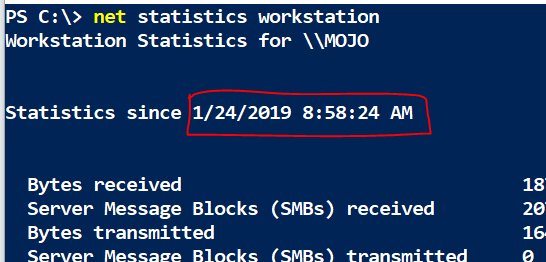
There are a number of ways to check uptime, but the one I always use involves a command prompt, either CMD or PowerShell: