"Object already exists" error when installing the Evo Client
We've recently found that when installing the Evo client on a Windows 7 machine, with no special desktop security software or with any other unusual configuration, produced this error every time:
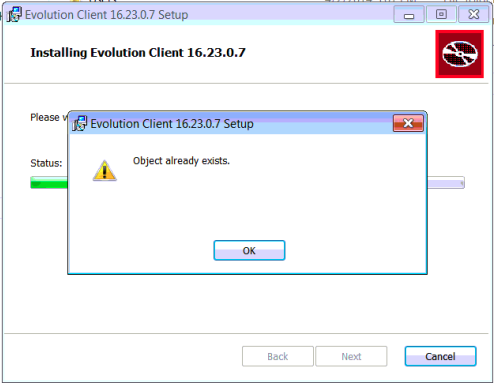 Unhelpfully, the error message makes no reference to what kind of object already exists, and it took running the installer with a special debugging option (and a fair amount of web searching) to track it down.
Turns out it's a particular Microsoft Windows update, KB2918614, is responsible, and this is a known issue (with Microsoft, not Evolution - I don't think this is an Evolution bug).
Solution: - uninstall this update, reboot, then install Evolution.
I believe that once Evo is installed, KB2918614 can be re-installed without incident, and this may happen automatically in the next windows update run for that computer.
I also believe there is a way to work around this issue while the problematic update is still installed, but I haven't researched it yet; I'll update this post as I learn more.