VMware Workstation: "There are no un-bridged host network adapters"
I've been using VMware Workstation for some months now, and it's been fantastic at letting me get a handle on the several virtual machines I have to work with. It's a huge step up from Virtual PC.
Though I'll have more to say on VMware in general, this is about how I fixed a particular condition that stumped me for a number of hours, and for which there are no obvious single references that cover all the cases.
The message occurs in the Virtual Network Editor when trying to assign one of the VMnet adapters to bridged, which allows it to share the same adapter (and IP) as the host:
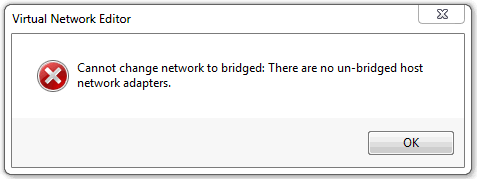
There are quite a few things that can provoke this, and I'll try to detail all the ones I know about. Some of them are legitimate quasi-misconfigurations, where VMware is doing what it's told, though it's not always obvious to us why this is. Others are broken/confused configurations that require remediation.
Disclaimer: I am not any kind of VMware expert, having only used it for a few months, but I spent enough time on this that I think I mostly have a handle on it. I welcome feedback with corrections or updates.
Cannot add second bridged adapter
In an environment with multiple network cards, with the first VMnet adapter bridged, trying to make a second one bridge to the "other" adapter fails. This is often because the first one is bridged to both, in automatic bridging mode, and this can be fixed easily in the VNE:
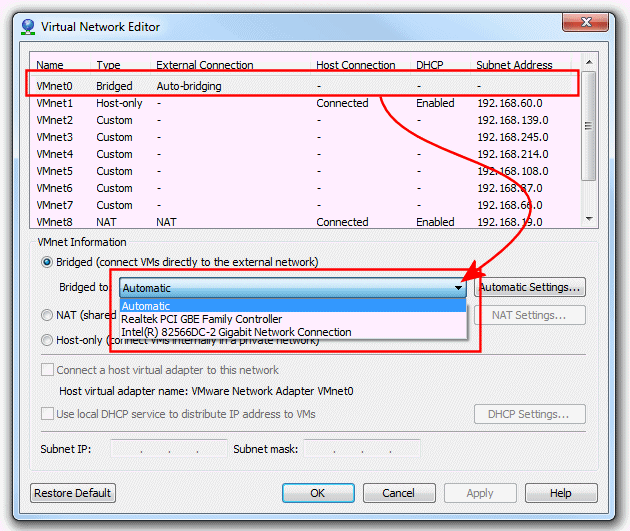
Highlight the first VMnet adapter, and change the "Bridged to: Automatic" setting to select the particular network adapter you want. After saving your change, the other NIC will be available for bridging in a different VMnet adapter.
No bridging adapters seen at all
The previous case showed that one VMnet adapter had "consumed" both adapters, leaving none left for another, but in this case we don't see any bridging adapters at all.

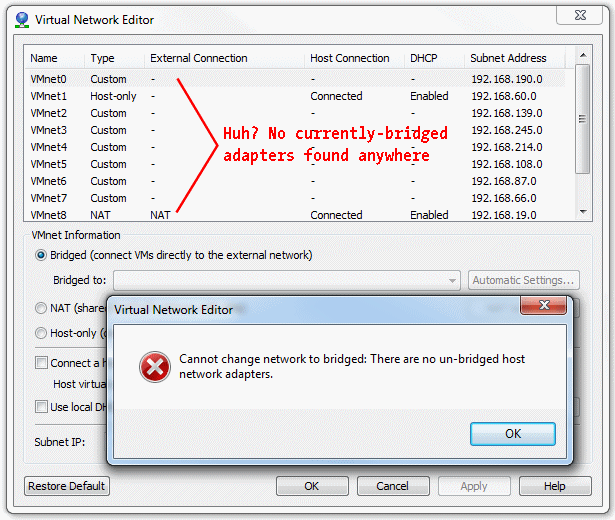
This is less obvious, but I've found a few things to try.
First, make sure the VMware bridging driver is running, which you typically do at an Administrative command line. Find an icon for the Cmd window or PowerShell, right-click, then Run As Administrator, then start the driver:
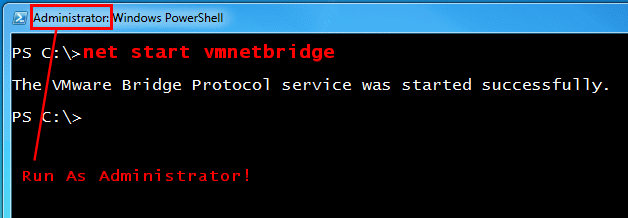
If the driver is already running, that means this wasn't the issue, but in any case, close the Virtual Network Editor, re-open it, and try setting up the bridging again.
Note: though this uses the familiar NET START mechanism, this is not a service, but a kernel driver. Don't look for this in the Services control-panel applet.
If this didn't fix the problem, it's time to look at the network interfaces themselves to insure that they have the VMware Bridge Protocol installed and enabled.
On Windows 7, one gets into the network adapters via:
- Start
- » Control Panel
- » Network and Internet
- » Network and Sharing Center
- » "Change adapter settings"
Choose one of the physical connections for which bridging is not available, then select Right-Click » Properties. If the VMware Bridge Protocol is present and unchecked, check it and click [OK].
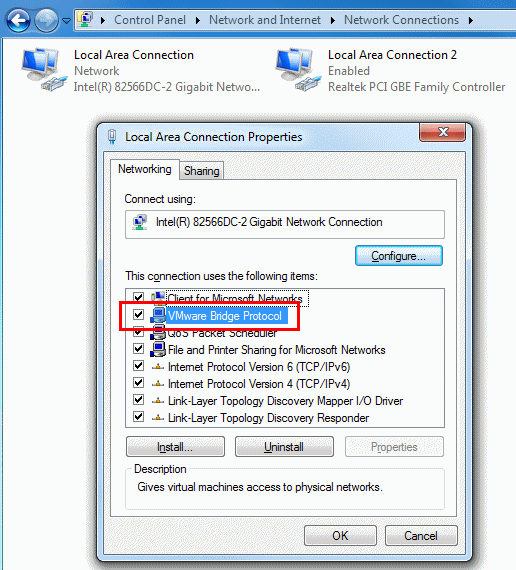
But if the protocol is not found at all, add it: (click to enlarge):
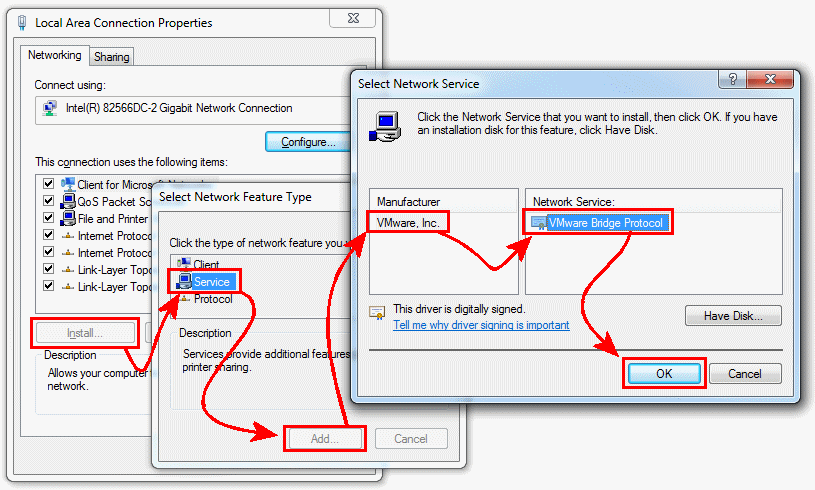
Once changes in the adapter have been made:
- Close the Virtual Network Editor
- Stop the vmnetbridge driver (via Administrator cmd window as shown above)
- Start the vmnetbridge driver
- Try the Virtual Network Editor again
This should bring back the bridging choices.
If all else fails
The previous processes have been to deal with the "normal" cases, but apparently there are cases where more drastic action is required, and we'll note them here only in passing. Though we've tried them all, they didn't have any effect.
- In the Virtual Network Editor, click the [Restore Default] selection; this takes a while, but may recover a dorked configuratoin.
- Perform a repair install of VMware Workstation. With the original install media (or downloaded file), launch the installer and select repair. As far as I know, this won't break existing settings or disturb your VMs.
If none of this works, the problems are beyond the scope of this paper, and you probably have to escalate to either VMwrae Support or the VMware Communities.
Good luck!